

Email Intelligence guide
Email Intelligence adds mail-observed domain signals to Have I Been Squatted. Connected providers send normalized email telemetry facts, which are matched against monitored domains and lookup results. The feature is designed for earlier domain discovery, especially when abusive sender domains appear in mail before they appear in registration, certificate, or passive DNS workflows.
Email Intelligence currently supports Microsoft 365 and Google Workspace ingestion. To quarantine mail from lookalike domains in Exchange Online, use the Microsoft 365 Quarantine connector with a rule; see Quarantine senders.
What the feature supports
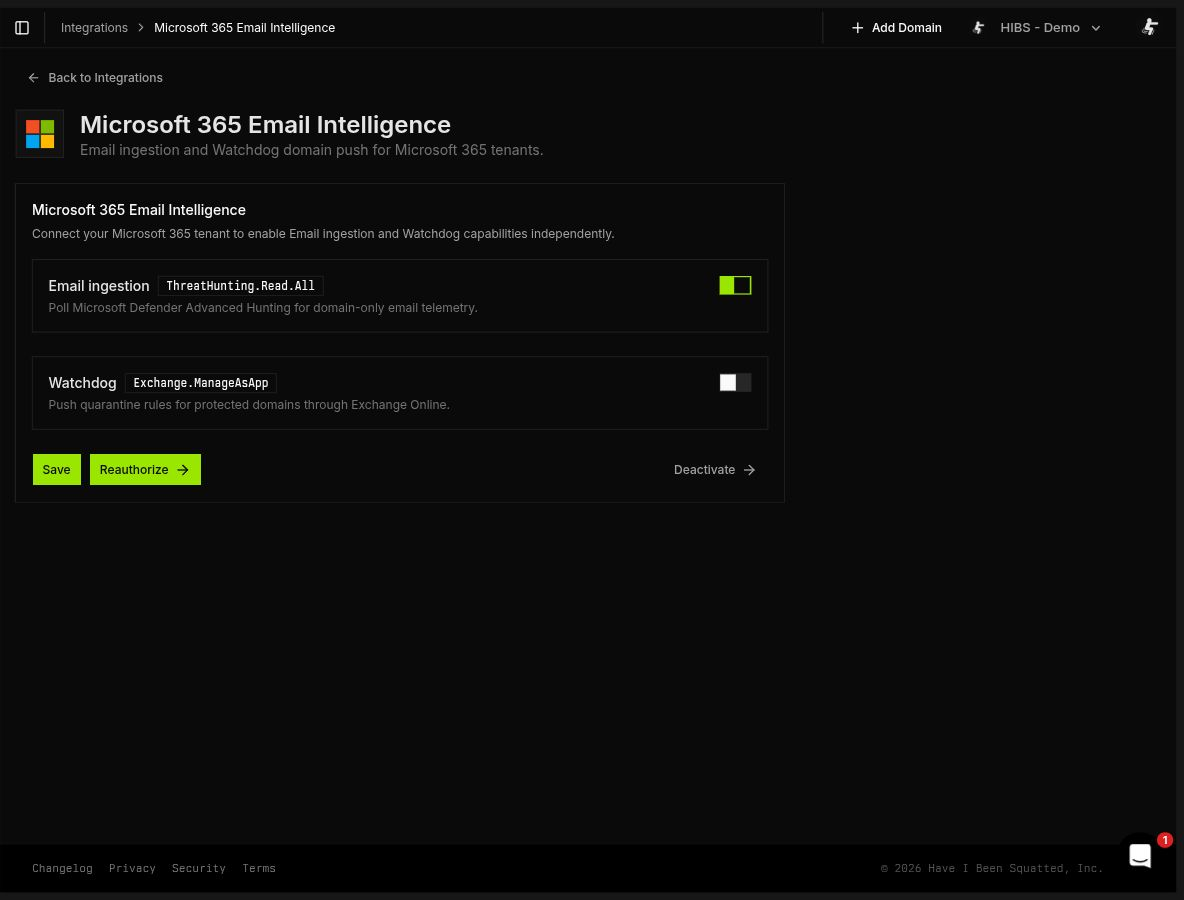
Section titled “What the feature supports”- Email telemetry ingestion: Poll the best available Microsoft 365 source or Google Workspace Gmail audit logs for domain-level mail facts
- Provider attribution: Mark lookup results as discovered through email telemetry, including provider and evidence source
- Dashboard analysis: Review recent message, URL-domain, and attachment-metadata observations alongside email-sourced lookup results
- Observation review: Inspect messages, URL domains, attachment metadata, and response activity in focused views
Data boundary
Section titled “Data boundary”Email Intelligence stores privacy-bounded facts rather than raw mailbox data. Stored events include provider, observation time, event type, direction, sender domains, recipient domains, URL domains, attachment metadata, matched monitored domains, and hashed provider identifiers.
The ingestion pipeline intentionally excludes raw provider payloads, message subjects, local parts, full email addresses, message bodies, and full uniform resource locators (URLs). Message and event identifiers are hashed before storage.
Provider-specific behavior:
- Microsoft 365 Advanced Hunting: Reads message, URL, and attachment metadata. URL observations store the domain and provider-reported location rather than the full URL. Attachment observations store available file type, size, hashes, and threat-detection metadata rather than filenames or file contents.
- Microsoft 365 Exchange Message Trace: Reads message-level transport metadata. It stores hashed trace and Message-ID values plus the SMTP
MAIL FROMand recipient domains. It does not create URL, attachment, or threat observations. Historical observations remain visible if an integration changes source. - Google Workspace: Reads Google Workspace Admin software development kit (SDK) Reports application programming interface (API) Gmail delivery audit events. Candidate domains can come from sender and header fields, plus link-domain audit fields when Google exposes them, but stored events remain domain-level facts.
Provider setup
Section titled “Provider setup”Microsoft 365
Section titled “Microsoft 365”Open Connectors > Microsoft 365 Email Intelligence.
- Email ingestion: Uses Defender Advanced Hunting when available. It falls back to Exchange Message Trace only when the mandatory
EmailEventsquery explicitly reports a missing table or an unprovisioned account. RequiresThreatHunting.Read.AllandExchangeMessageTrace.Read.All.
Choose Connect tenant or Reauthorize, then complete the Microsoft administrator consent flow.
Existing integrations continue to use Advanced Hunting without the new Message Trace consent. Reauthorize them to make fallback available. Exchange Message Trace also requires the tenant administrator to provision Microsoft’s documented first-party service principal. This is a separate tenant prerequisite. Have I Been Squatted does not request Application.ReadWrite.All or provision the service principal.
Google Workspace
Section titled “Google Workspace”Open Connectors > Google Workspace Intelligence.
Enable Gmail audit logs, then connect with a Google Workspace administrator account. The Open Authorization (OAuth) flow requests Admin SDK Reports audit access for Gmail delivery events. Reconnect if the integration status indicates permission loss, no usable refresh token, or a source authorization error.
Google Workspace ingestion contributes email-observed domains and message observations.
How email-sourced lookup results work
Section titled “How email-sourced lookup results work”Email ingestion proposes candidate domains from provider telemetry. Have I Been Squatted then applies conservative matching before adding email attribution to lookup results:
- Monitored domains and their subdomains are not treated as suspicious candidates.
- Existing lookup results are updated first, so email evidence is attached to the current result when possible.
- New candidates are matched against monitored domains by recipient-domain ownership or a unique close-domain match.
- Ambiguous matches are skipped instead of being assigned to the wrong monitored domain.
- A completed lookup must exist for the monitored domain before new email-sourced results can be inserted.
When a candidate is accepted, the result appears alongside normal lookup results with an email source marker.
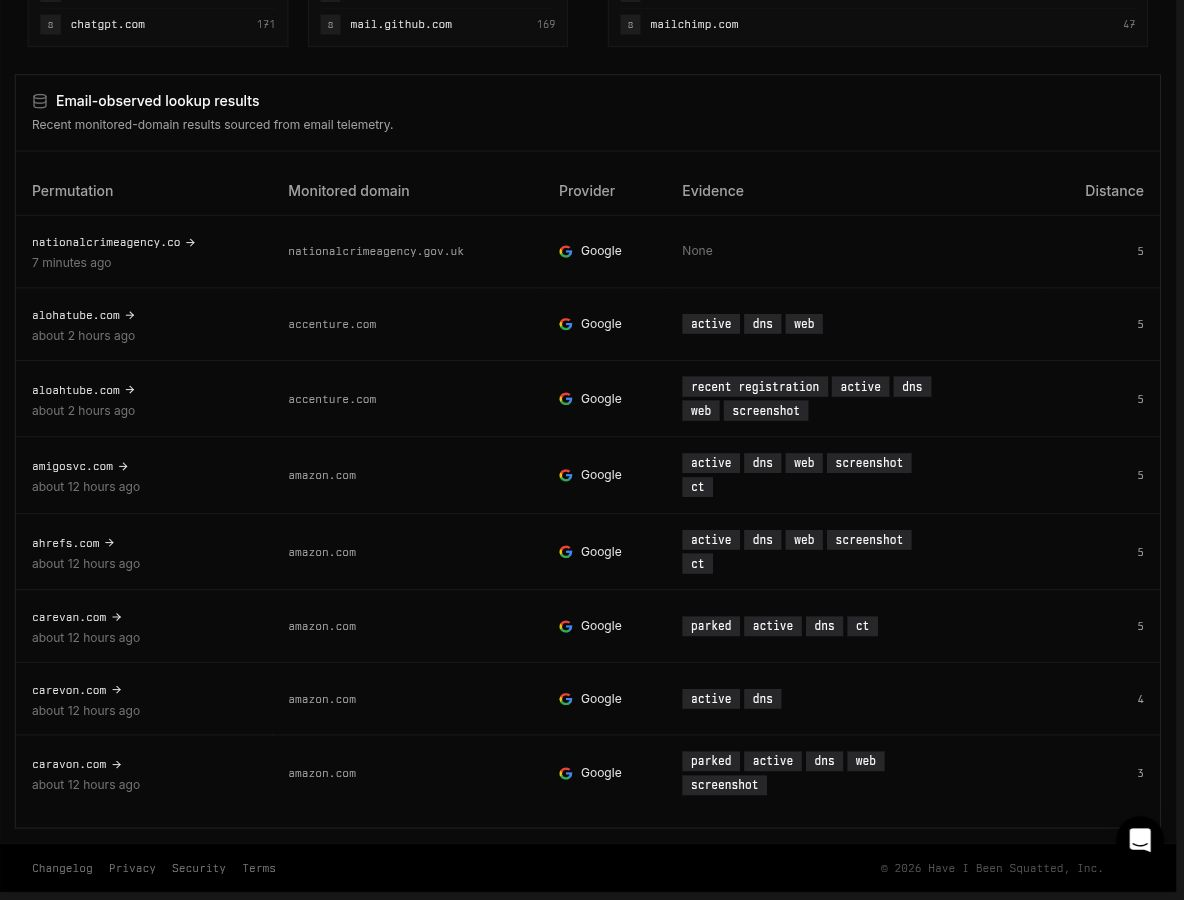
The result can still use the normal rules engine, tags, alerts, exports, and investigation workflows. The main difference is provenance: the domain was observed in connected mail telemetry.
Email signals in rules
Section titled “Email signals in rules”The email namespace queries persisted Email Intelligence events directly. This differs from domain.metadata.sources.*, which describes the provenance of a domain lookup result. Conditions within Email must match one event; separate message, URL, and attachment rows are not joined automatically.
See Email signals for the field catalog and rules across namespaces for execution windows and preview behavior.
Dashboard
Section titled “Dashboard”Open Email Intelligence from the application sidebar to review the operational view.
The Overview summarizes the last 14 days:
- Message observations: Normalized email message events ingested from connected providers
- URL observations: Microsoft 365 URL-domain observations linked to message telemetry
- Attachment observations: Microsoft 365 attachment metadata linked to message telemetry
The Overview uses the same 60-day message-activity timeline as the focused views, alongside compact URL and file summaries and recent email-observed lookup results. Selecting a day opens the corresponding Emails view. Email-sourced lookup rows link back to the relevant monitored-domain lookup results.
Dedicated Emails, URLs, and Files views separate message activity from Microsoft 365 URL-domain and attachment-metadata observations. Each view includes 14-day summary metrics, a 60-day activity timeline, focused characteristics, and privacy-bounded rows. Google Workspace currently contributes message telemetry only.
Emails view
Section titled “Emails view”The Emails view shows 14-day message metrics and breakdowns, followed by normalized message facts and historical Watchdog quarantine pushes for a selected Coordinated Universal Time (UTC) day.
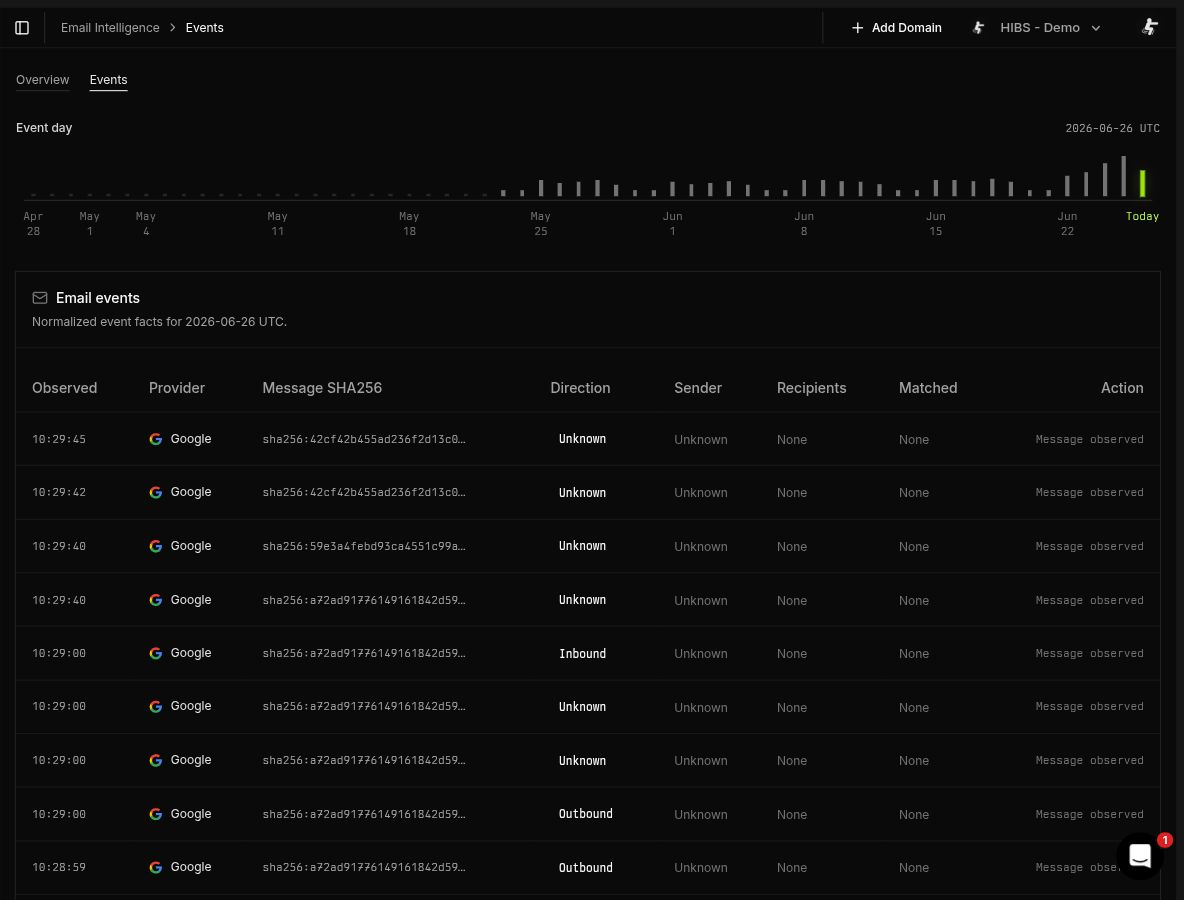
Each row includes the observation time, event type, provider, direction, available sender and recipient domains, hashed message correlation identifier, linked monitored domains, and response outcome. URL and attachment observations remain available in their dedicated views.
Depending on the event type, observation details include:
- Message: Sender and recipient domains
- Quarantine push: The action and result of a sender block from the retired Watchdog
Use this view when validating message ingestion, reviewing sender and recipient context, or reviewing past Watchdog activity.
Quarantine senders
Section titled “Quarantine senders”Email Intelligence observes mail; it doesn’t block it. To quarantine mail from lookalike domains, connect the Microsoft 365 Quarantine connector and add the Quarantine in Microsoft 365 response to a rule. For each alert, the response adds an expiring sender block for the cited lookalike domains to the Exchange Online Tenant Allow/Block List, and Exchange Online quarantines their mail.
The connector uses its own Microsoft Entra application, separate from Email Intelligence, and requires the network enforcement add-on.
Watchdog is retired
Section titled “Watchdog is retired”Watchdog was a Microsoft 365 Email Intelligence option that added sender blocks using a built-in heuristic. It is retired. The Emails view keeps its past quarantine pushes. Blocks it created expired 30 days after they were added.
To reproduce the Watchdog heuristic, create a Domain rule with the Quarantine in Microsoft 365 response:
domain.registration_metadata.registration_date.days_since:<30 AND( domain.classification.phishing:>=0.9 OR domain.registration_metadata.registrar:*Global\ Domain\ Group* OR domain.dns_mx:@*zoho*)Watchdog’s MX condition also required a domain with mail records but no website. No rule field expresses that, so this rule also matches Zoho-hosted domains that serve a website. Tighten it before enabling the response.
Common checks
Section titled “Common checks”No dashboard data
Section titled “No dashboard data”- Confirm at least one email provider is connected and enabled.
- For Microsoft 365, confirm ingestion is enabled and the selected source has its required permission:
ThreatHunting.Read.Allfor Advanced Hunting orExchangeMessageTrace.Read.Allfor Exchange Message Trace. Reauthorize older integrations to make Trace fallback available. - If Exchange Message Trace is selected, confirm the tenant has provisioned Microsoft’s required first-party service principal.
- For Google Workspace, confirm Gmail audit logs are enabled and the source status is connected or no-data.
- Confirm monitored domains have completed lookups. Email candidates are attached to existing monitored-domain workflows.
- Allow for provider ingestion delay. The service polls a bounded recent window rather than reading mail synchronously.
Disconnecting a provider
Section titled “Disconnecting a provider”Deactivate the integration in Have I Been Squatted to stop ingestion. To remove provider-side access completely, also revoke the application grant in Microsoft Entra Enterprise Applications or Google Workspace admin settings.