

Passive DNS guide
Passive DNS helps analysts reconstruct historical DNS changes and discover adjacent infrastructure (IPs, nameservers, MX records, and certificate subjects) related to a domain. That context supports hosting moves, provider changes, and relationships between suspicious domains.
The same history answers practical questions about a domain: how recently it changed, what activity appeared over time, and whether IP addresses churn quickly. Together, those signals describe current posture and past behavior.
What the panel supports
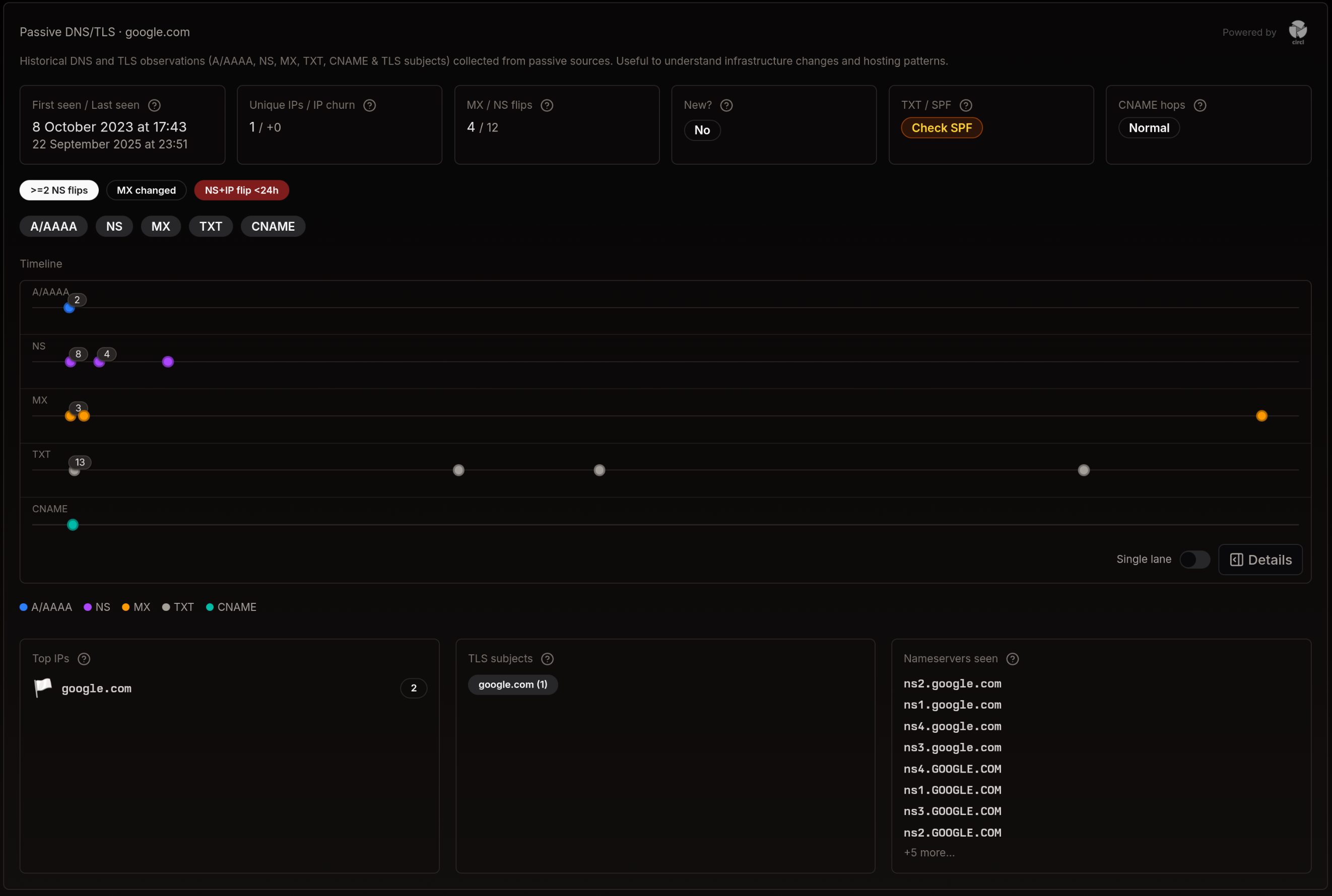
Section titled “What the panel supports”- Timeline analysis: Review A/AAAA, NS, MX, TXT, and CNAME changes over time
- Infrastructure mapping: Identify IPs, nameservers, and certificate subjects historically associated with a domain
- Change detection: Spot significant flips (e.g., NS churn, MX changes)
- Context building: Correlate passive signals with lookup results, rules, and alerts
Reading the Panel
Section titled “Reading the Panel”
- KPIs: First/last seen, IP churn, MX/NS flips, TXT/SPF health, CNAME hops
- Filters: Toggle record types (A/AAAA, NS, MX, TXT, CNAME)
- Timeline: Historical observations grouped by record type
- Legends & details: Hover to see timestamps and counts; switch single-lane for compact view
- Context cards: Top IPs, certificate subjects, and nameservers seen
Timeline view
Section titled “Timeline view”The timeline condenses observed DNS changes into one visual to surface bursts, gaps, and pivots in infrastructure. Correlate record flips with registration events, hosting moves, or certificate subject shifts from there.
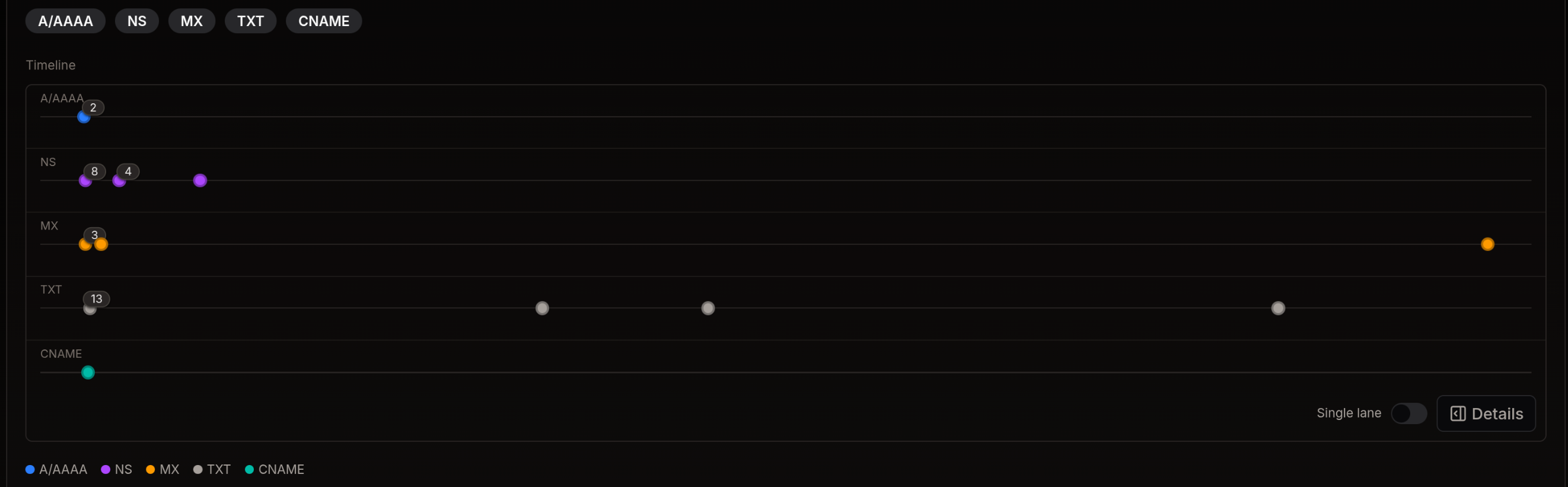
- Filter: Toggle A/AAAA, NS, MX, TXT, CNAME to focus the series
- Details: Hover points to see timestamp and count
- Compact: Use single-lane mode for a compressed timeline
Workflow Tips
Section titled “Workflow Tips”1. Track hosting changes
Section titled “1. Track hosting changes”- Filter to A/AAAA and review points on the timeline
- Compare with certificate subjects to see certificate continuity across hosting moves
2. Investigate mail infrastructure
Section titled “2. Investigate mail infrastructure”- Enable MX and TXT to validate Sender Policy Framework (SPF) and DomainKeys Identified Mail (DKIM) posture changes
- Multiple MX flips in short time windows can indicate staging or abuse
3. Map nameserver relationships
Section titled “3. Map nameserver relationships”- Enable NS and review churn
- Cross-reference with other suspicious permutations to find shared providers
Correlating Results
Section titled “Correlating Results”- In lookup results, Passive DNS augments each permutation’s context
- In the Rules Engine, combine passive signals with infrastructure and registration data to raise confidence
Events View
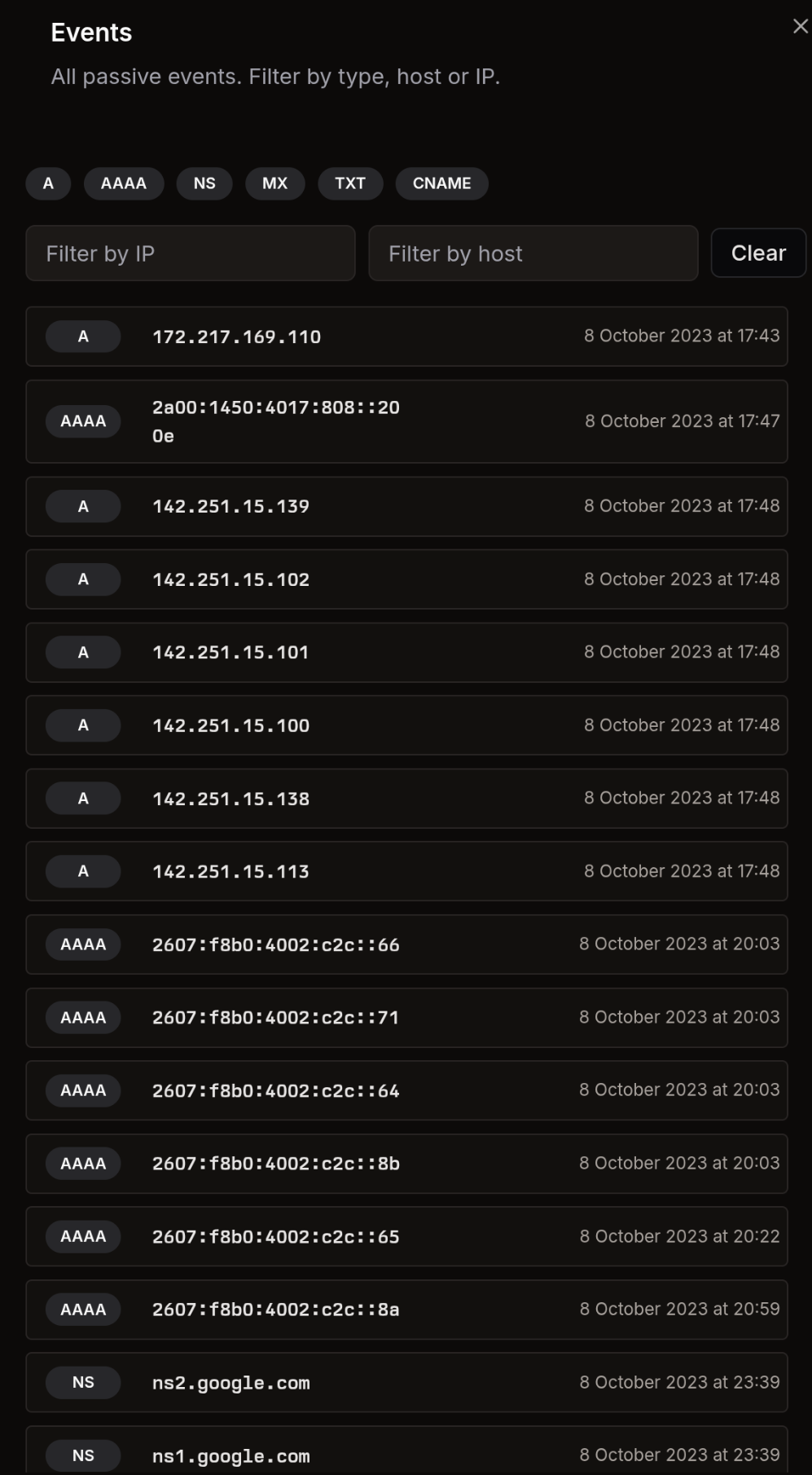
Section titled “Events View”Open the detailed events view to browse all passive observations.
- Type filters: Quickly scope to A, AAAA, NS, MX, TXT, or CNAME
- Filter by IP / host: Free-text filters to narrow results
- Chronological list: Each row shows the record, value, and timestamp
- Clear: Resets all filters
Use this view to audit exact changes and pivot into specific infrastructure items.
API Context (Optional)
Section titled “API Context (Optional)”When streaming results from the API, Passive DNS events appear as operations:
{"op":"PassiveDns","data":[{"rrtype":"NS","rrname":"ns1.example.com","rdata":"example.com","time_first":1751627704,"time_last":1751627704,"count":1}]}See the API overview for general streaming patterns.
Best Practices
Section titled “Best Practices”- Use the single-lane toggle for compact investigations in wide tables
- Focus on bursts of change (e.g., multiple NS/MX flips) as triage signals
- Pair passive data with classification and whois/rdap to strengthen confidence